Get a Quote Page

Get a Quote Page Type Icon
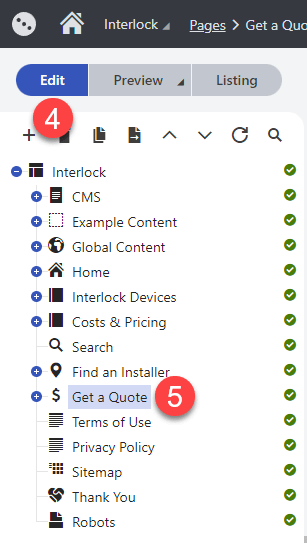
- Click on Applications icon in the top left
- Click on Content Management
- Click on Pages
- Click on the Edit button or make sure it is selected
- Find and click on Get a Quote in the content tree
How to Update the Hero Section
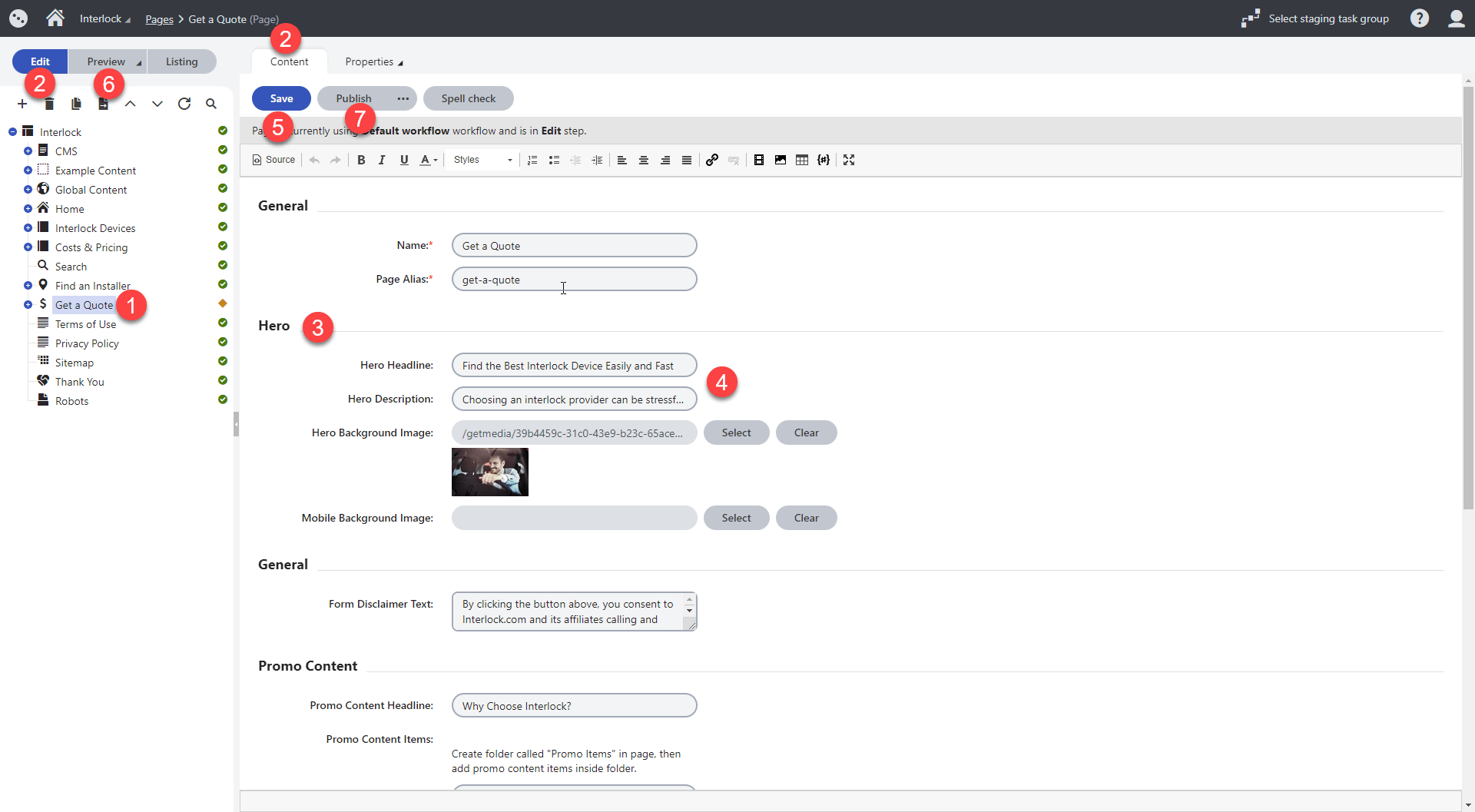
- Navigate to the Get a Quote within the Pages interface
- Make sure the Edit view is selected and you are within the Content tab
- Scroll down to the Hero section
- Update the headline, description, or background image as needed
- Click on Save
- Click on Preview and then on Open in a new tab (Optional)
- Click on the Publish button
How to Update the Form Disclaimer
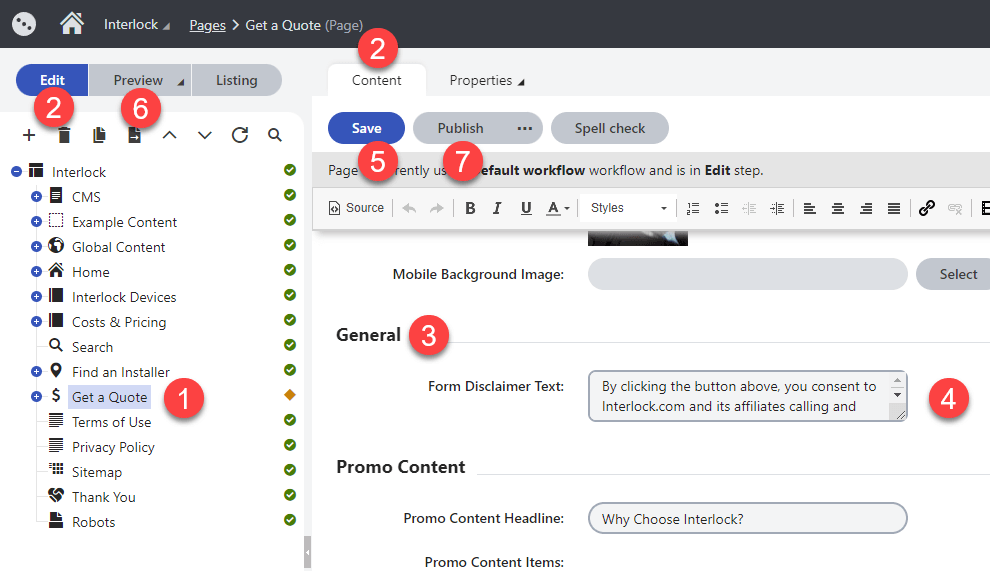
- Navigate to the Get a Quote within the Pages interface
- Make sure the Edit view is selected and you are within the Content tab
- Scroll down to the General section
- Update the copy as needed
- Click on Save
- Click on Preview and then on Open in a new tab (Optional)
- Click on the Publish button
How to Update the "Why Choose Interlock" Section Headline
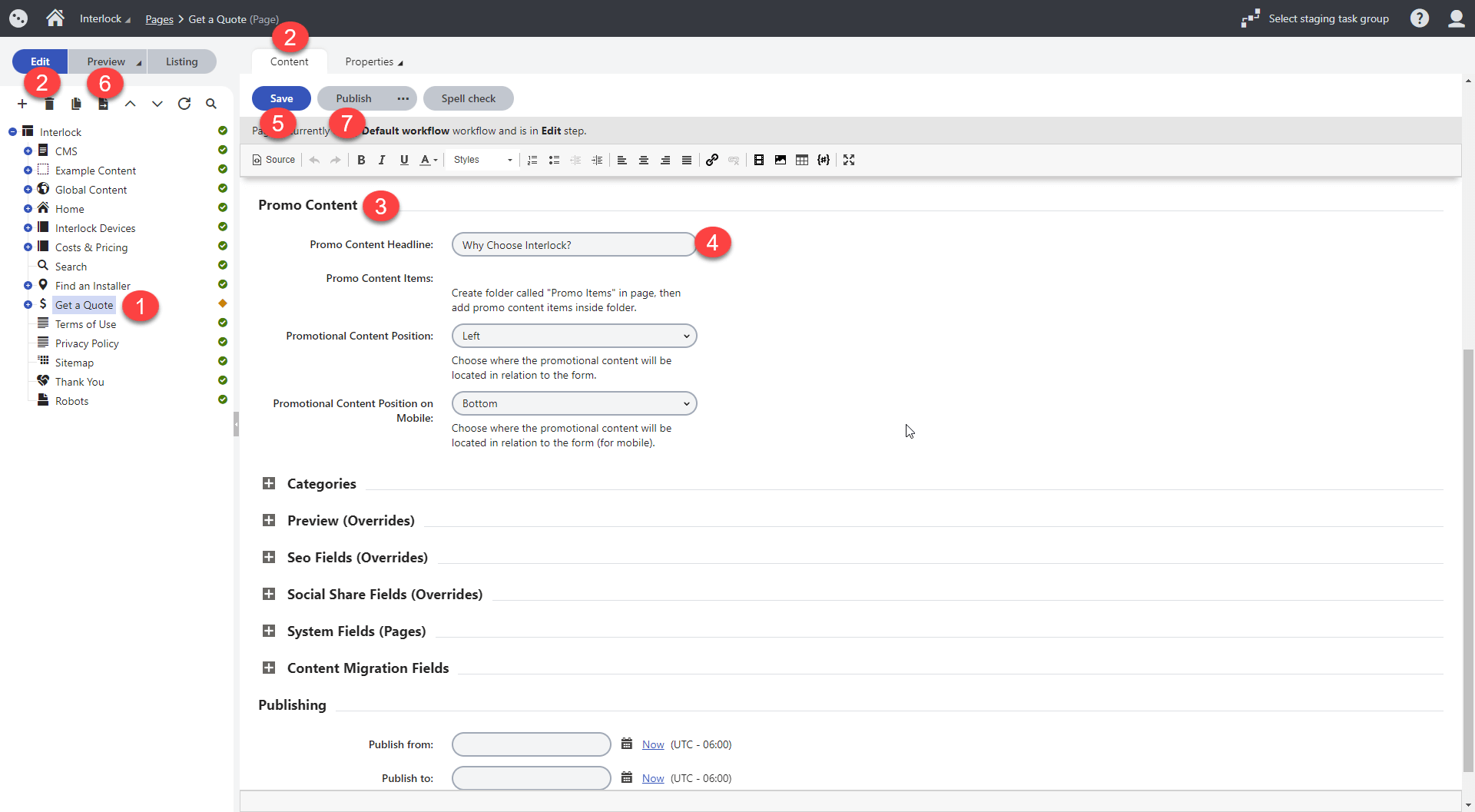
- Navigate to the Get a Quote within the Pages interface
- Make sure the Edit view is selected and you are within the Content tab
- Scroll down to the Promo Content section
- Update the copy as needed
- Click on Save
- Click on Preview and then on Open in a new tab (Optional)
- Click on the Publish button
Note: The content for the icons is housed in templates nested under the Get a Quote page in the content tree. See the instructions below to update.
How to Update the "Why Choose Interlock" Section Items
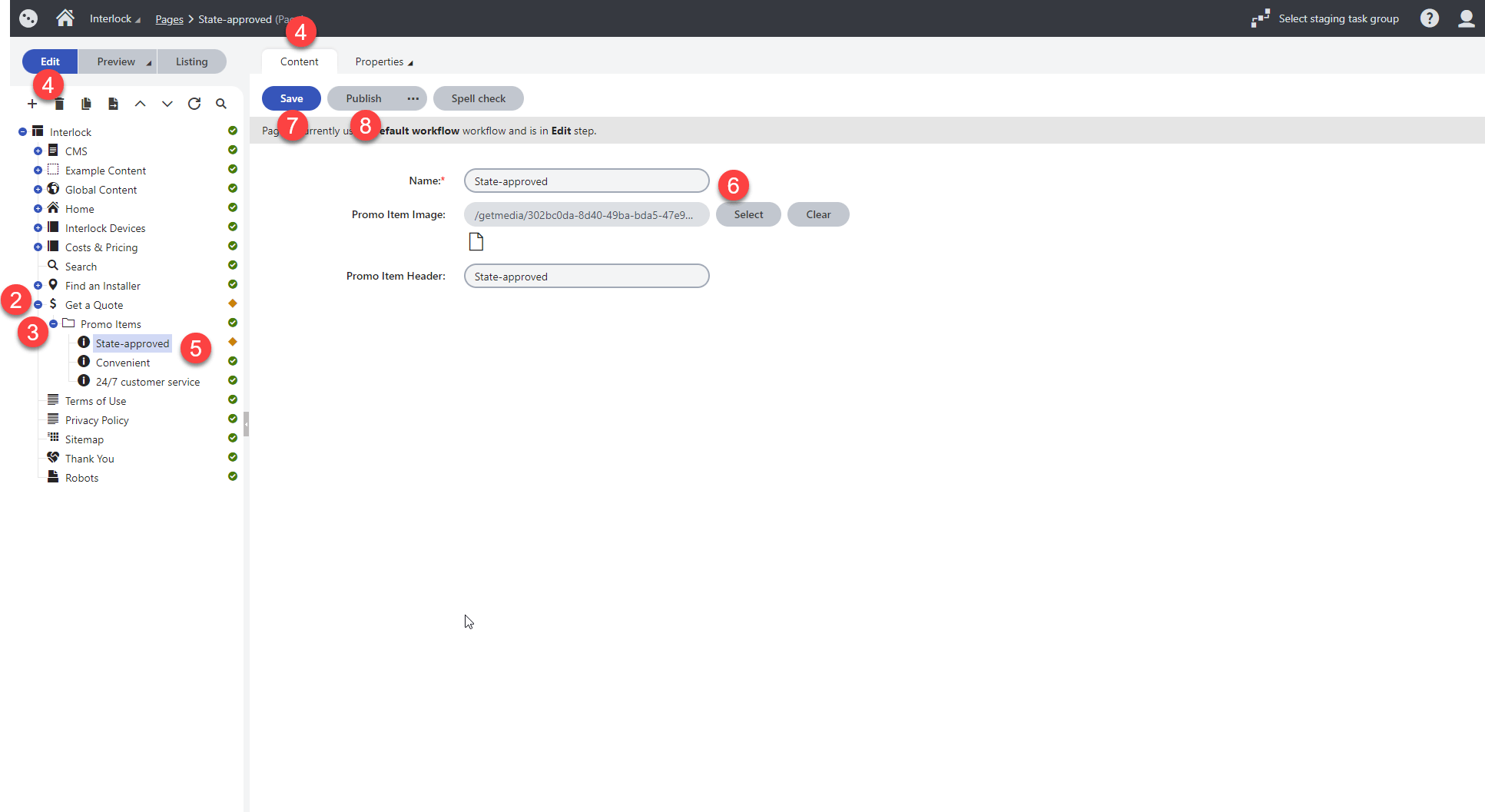
- Navigate to the Pages interface
- Find Get a Quote and click on the + icon
- Click on the + icon next to Promo Items to display each item in the content tree
- Make sure the Edit view is selected and you are within the Content tab
- Find and select an item to update (e.g. State-approved)
- Update the item image or copy as needed
- Click on Save
- Click on the Publish button
Note: Updates to these items cannot be previewed from this location. To see the changes before publishing, navigate to the Get a Quote page, click on Preview and then on Open in a new tab.