Social Share & Metadata
How to Update a Page's SEO Metadata
Adding metadata to your pages benefits your SEO performance.
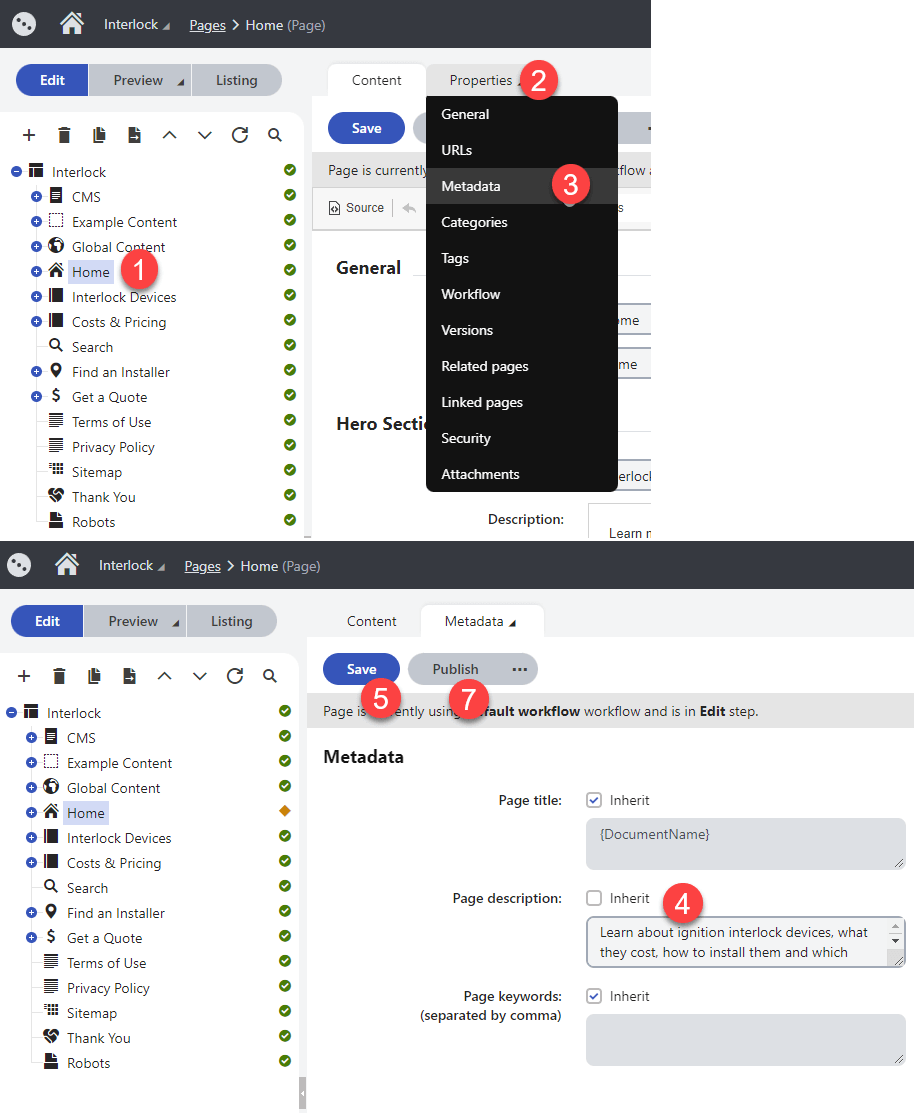
- Navigate to the Pages interface and select a page
- Click on the Properties tab
- Click on Metadata
- If enabled, uncheck the Inherit option next to fields you wish to update. Then type in the new metadata.
- Click on the Save button
- Click on Preview and Open in a new tab (Optional)
- Click on the Publish button
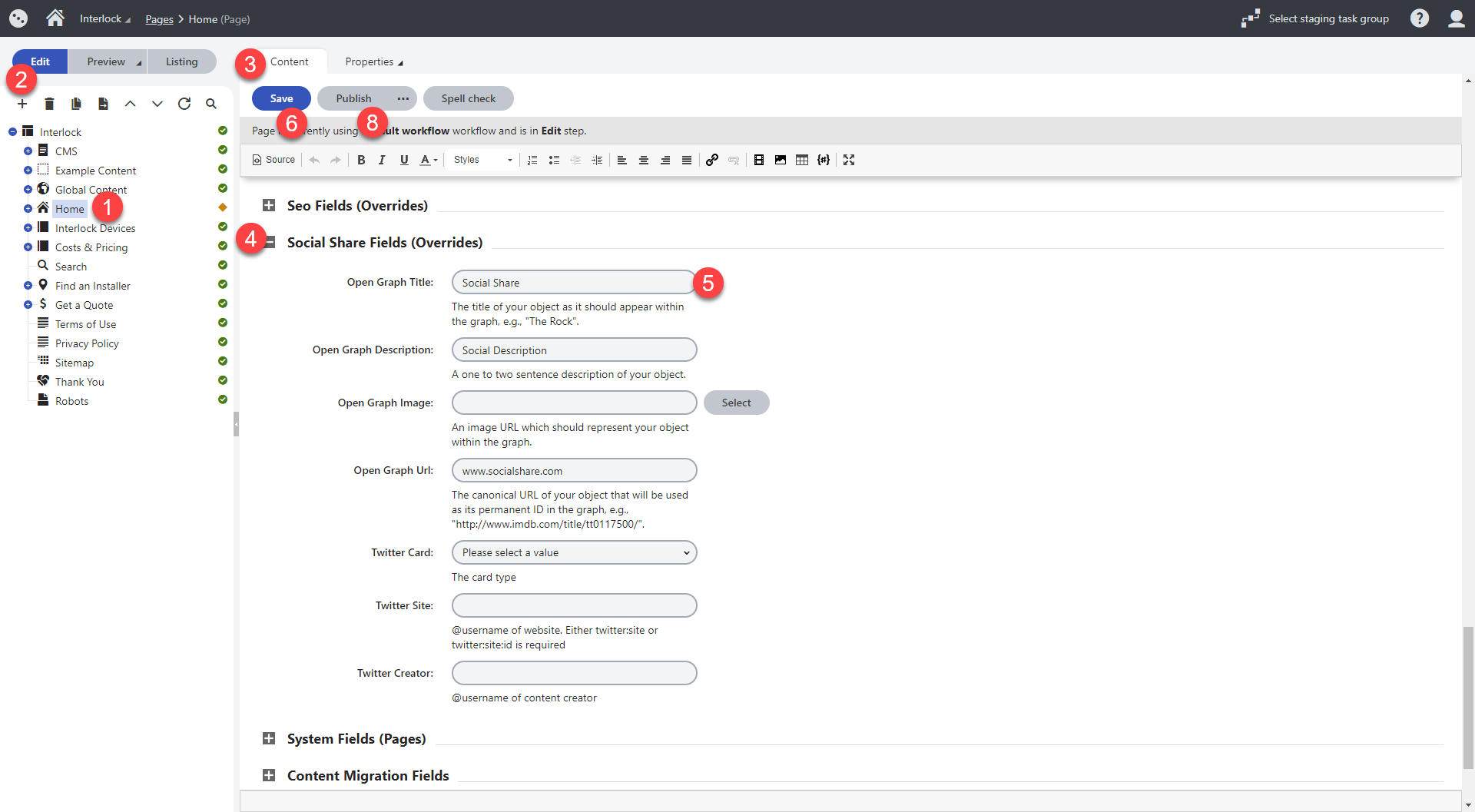
- Navigate to the Pages interface and select a page
- Click on the Edit button or make sure it is selected
- Click on Content tab or make sure it is selected
- Scroll down and find the Social Share Fields (Overrides) section
- Update the Title, description, URL or image
- Click on the Save button
- Click on Preview and then on Open in a new tab (Optional)
- Click on the Publish button